AutoBrowser — Remembering a choice
A Slack link should always open in Chrome, your bank always in Safari: rather than choosing every time, ask AutoBrowser to remember the decision. This is how a configuration gets built — through use, without preparing it beforehand.
From the picker, in one click
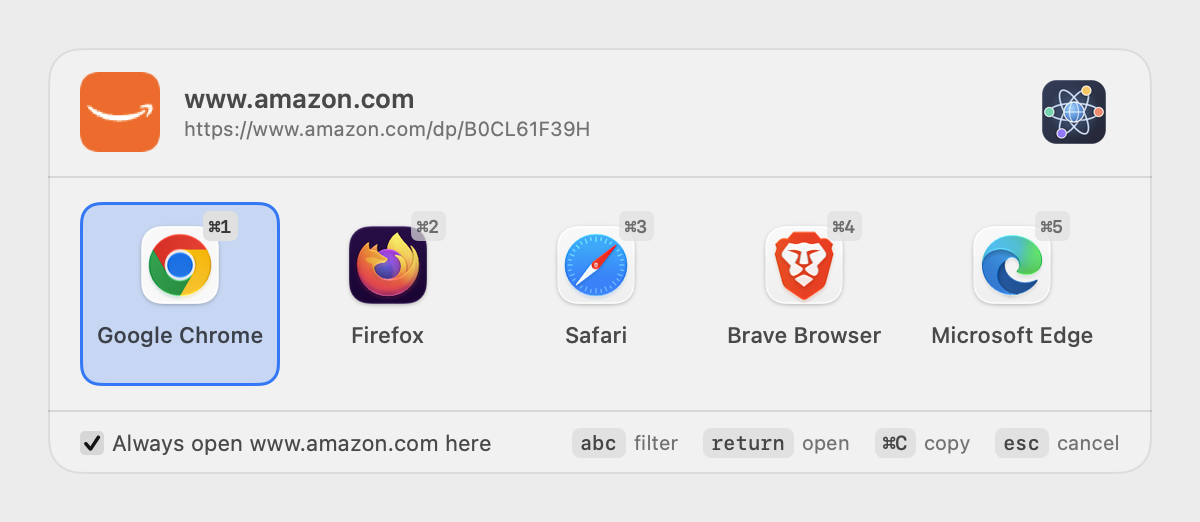
- Tick Always open domain here, at the bottom left of the picker.
- Choose the browser or profile, as usual.
The link opens, and a rule is created for that domain. Later links from the same domain go straight through, without the picker showing up.
The checkbox carries the domain, not the full address: ticking it on https://www.amazon.com/dp/B0CL61F39H remembers the whole of www.amazon.com, not that one page.
What the checkbox created
The rule appears at the top of the Rules tab, where you can read it again, refine it or remove it.
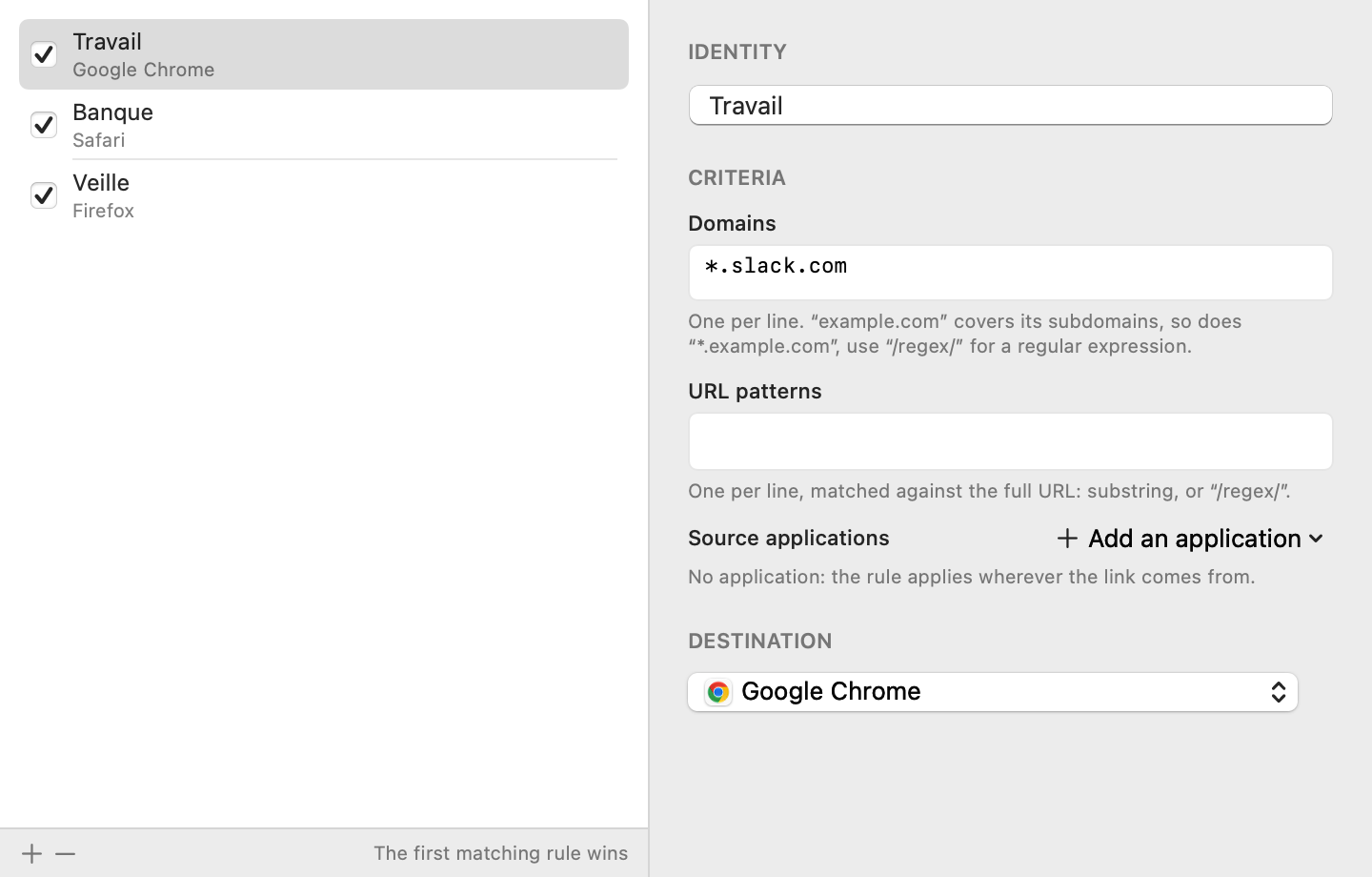
- Name — empty at first; the rule then shows under its criterion. Name it (“Work”, “Bank”) to find your way around.
-
Domains — the remembered domain.
example.comcovers its subdomains;*.example.comtoo;/regex/for a regular expression. - Destination — the chosen browser, and its profile where applicable.
Changing your mind
- Change the destination — select the rule, choose another destination.
- Suspend — untick the box in front of its name: the rule is kept but ignored, and the picker comes back for that domain.
- Forget — select the rule, then — under the list.
Order matters
The first matching rule wins, and the others are not examined. A rule created from the picker is placed at the top: it therefore takes precedence over earlier ones. Drag rules to reorder them — from the most specific to the most general.
Beyond the domain
The picker's checkbox only remembers a domain. To remember anything else, create the rule by hand (+ button in the Rules tab):
- a URL pattern —
/pull/to send only pull requests elsewhere; - a source application — every link clicked in Slack, whatever its domain.
The criteria of one rule combine with AND; inside a criterion, patterns read as OR.
See also: Picker · Rules · Browsers and profiles