Task list
← Project Dashboard — user guide
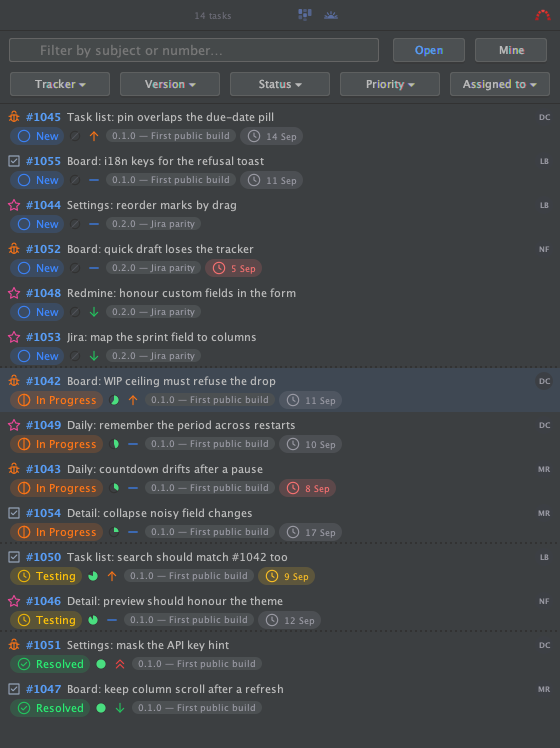
Open it from the tool window stripe (right-hand side by default). It lists
every open issue of the followed project, with:
- six filters (tracker, status, priority, assignee, version, category), each
a multi-select — nothing checked means everything matches; - a text search box that matches on the issue reference, its id and its
subject; - every field on a row — tracker, status, priority, assignee, due date,
progress — is clickable and opens a small menu to change it on the spot; - a right-click for the full menu (open, pin, change any field, open in the
tracker's own web page); - pinned issues stay at the top of their status group;
- double-click the empty area to start a new issue.