AutoBrowser — Rules
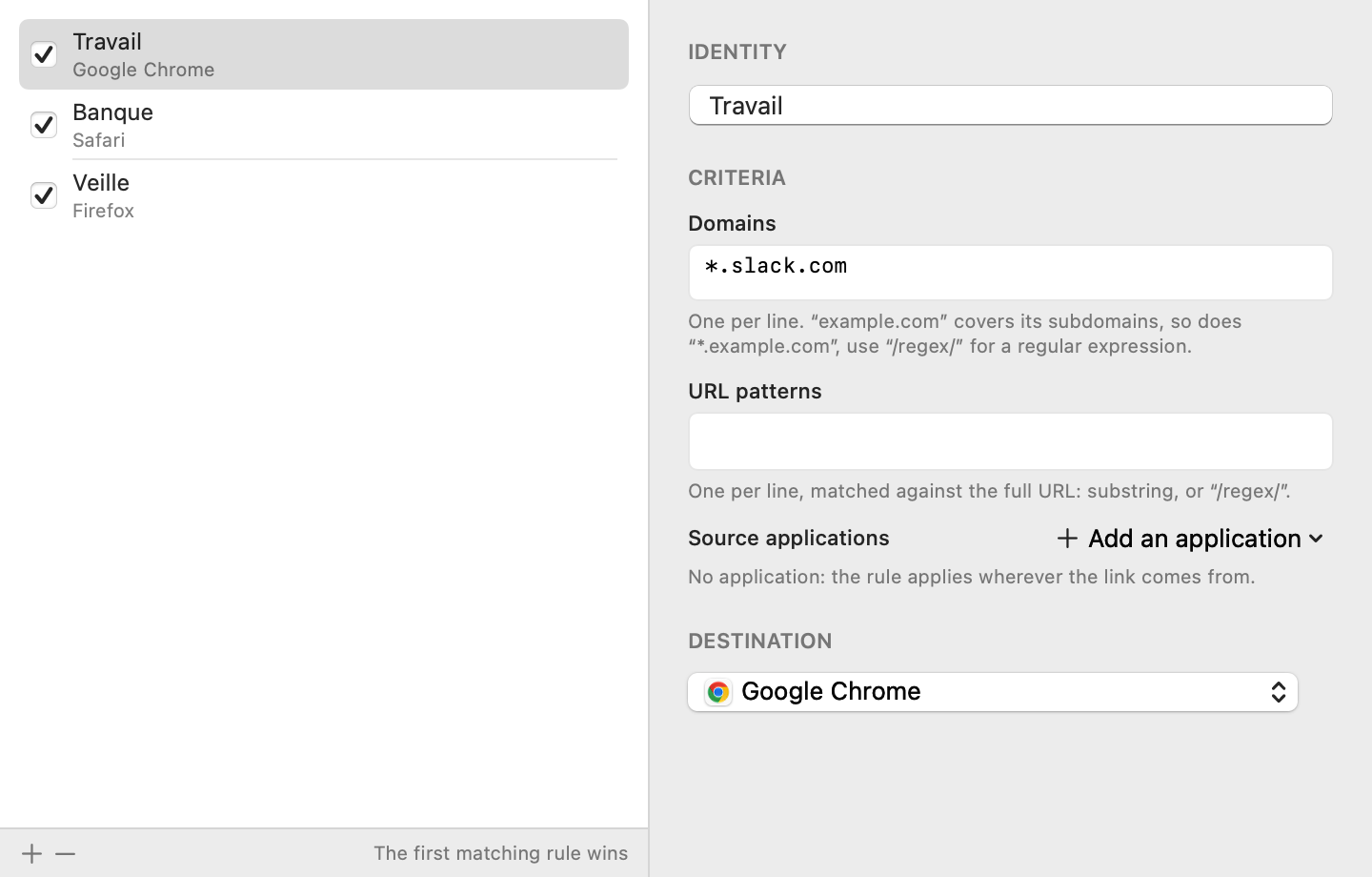
A rule sends a link directly to a destination, without showing the picker. Rules are managed in the Rules tab of the settings.
How it works
- Rules are evaluated in list order: the first one that matches wins. Drag them to reorder them.
- The checkbox in front of a rule enables or disables it without deleting it.
- The criteria you fill in are combined with AND; within a criterion, patterns are combined with OR.
- A rule with no criteria at all is ignored: it would catch every link by accident.
Creating a rule
- From the picker: check Always open domain here before choosing. The rule is created at the top of the list.
- From the Rules tab: the + button under the list, then fill in the editor. − deletes the selected rule.
Criteria
Domains
One pattern per line, compared with the link’s host name.
| Pattern | Matches |
|---|---|
github.com |
github.com and all its subdomains (gist.github.com…) |
*.slack.com |
slack.com and its subdomains |
/^.*\.corp$/ |
regular expression, between slashes |
* |
all domains |
URL patterns
One pattern per line, compared with the full address, case-insensitively.
| Pattern | Matches |
|---|---|
/pull/ |
any address containing /pull/
|
/\/issues\/\d+/ |
regular expression, between slashes |
Source applications
The application the link comes from (Mail, Slack, Teams…). The + Add an application button offers the open applications, with their icons; its last option, Enter a bundle identifier…, lets you add an application that is not running (for example com.tinyspeck.slackmacgap). The cross on a row removes it.
No application: the rule applies wherever the link comes from.
Destination
A browser, or one of its profiles. Profiles only appear if AutoBrowser was able to read them — see Browsers and profiles.
Examples
| Goal | Criteria | Destination |
|---|---|---|
| Work in the work profile | Domains: atlassian.net, *.corp
|
Chrome — Work |
| Slack links in Firefox | Source applications: Slack | Firefox |
| Code reviews kept apart | Domains: github.com · URL patterns: /pull/
|
Brave — Review |
See also: Overview · Picker · Browsers and profiles · Settings